On this page
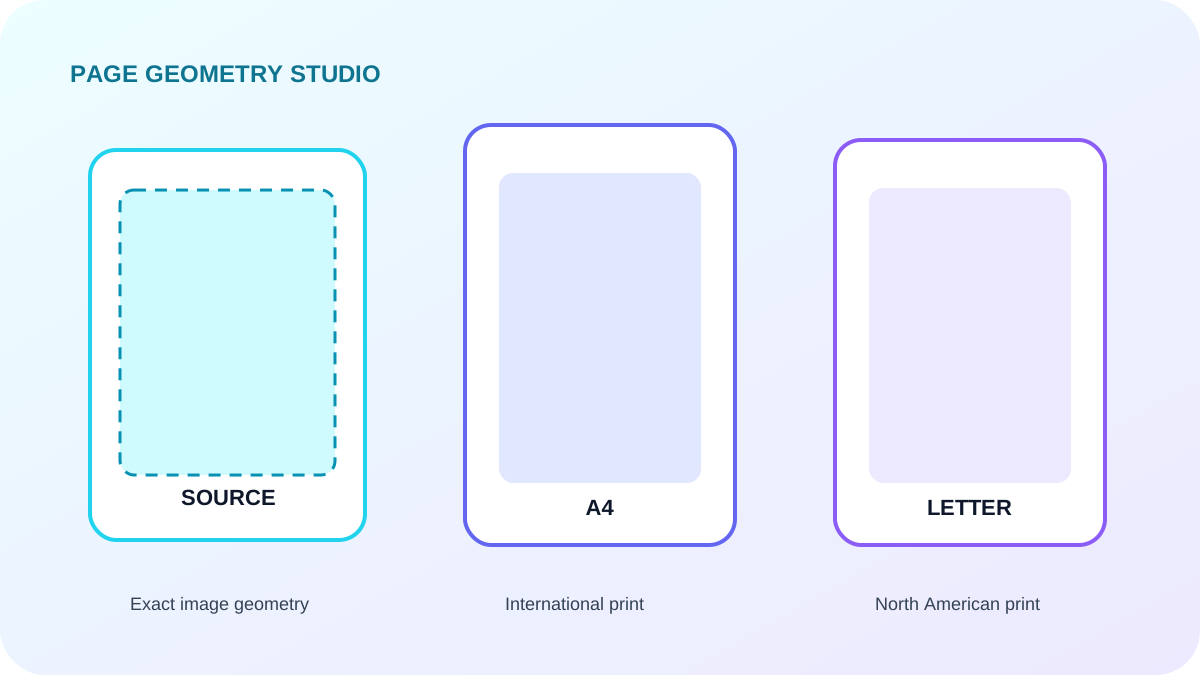
Use source size for faithful image geometry
Source size derives the PDF page from image pixels and output DPI. It avoids adding margins or cropping and works well for archive review when the scanner dimensions are meaningful.
Use a standard sheet for printing
A4 is common internationally, while Letter and Legal are common in North American workflows. Auto orientation can match portrait and landscape frames independently.
Choose contain or cover deliberately
Contain scales the full scan inside the available area and can leave blank space. Cover fills the area but crops edges. Add margins when stamps, handwritten notes or punch holes sit close to the edge.
| Setting | Best for | Trade-off |
|---|---|---|
| Source size | Faithful scan geometry | Page sizes can vary |
| Contain | Complete edge visibility | May add blank space |
| Cover | Full-bleed appearance | Can crop source edges |
Put the workflow into practice
Arrange source documents, select the pages you need, and create one PDF locally in your browser. Review the result before choosing any optional next step.
Try Merge PDFFrequently asked questions
Clear answers before you merge
Which size is safest?
Source size or contain placement is safest when no edge content may be lost.
Can landscape scans stay landscape?
Yes. Auto orientation matches the direction of each frame when using a standard page size.
What do margins do?
Margins reserve space between the scan and the PDF page edge.