On this page
Choose the pages that belong in the imaging set
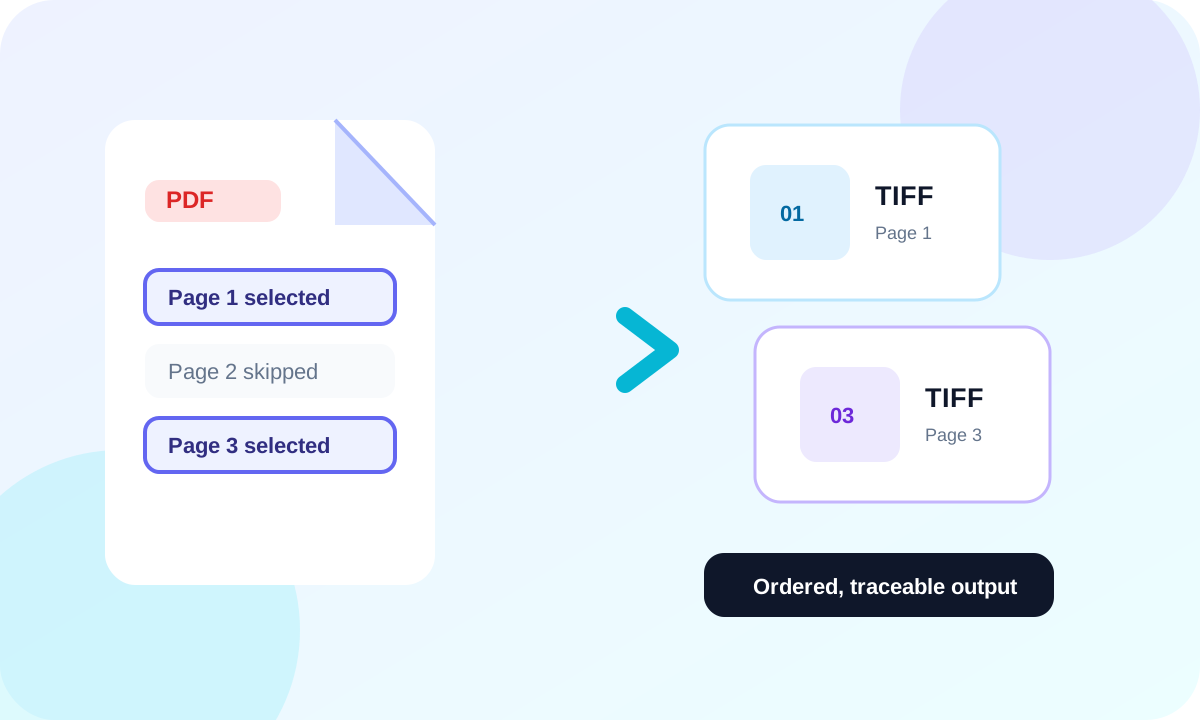
Export the complete document when every page is required, or enter an ascending range such as 1-3, 5 for a focused set. Output filenames retain the original page numbers so the result remains traceable.
Set resolution and color deliberately
150 DPI can suit screen review, 300 DPI is a practical print baseline, and 600 DPI should be reserved for fine line work or a defined downstream requirement. Use RGB for color evidence, grayscale for tonal scans and monochrome for bilevel records.
Verify the TIFF package
Open representative images and check page order, pixel dimensions, edge content and the smallest important text. The manifest records the selected pages and export profile.
- Confirm selected page numbers.
- Inspect the first and last TIFF.
- Check small text and line art.
- Keep the original PDF as the source record.
Put the workflow into practice
Arrange source documents, select the pages you need, and create one PDF locally in your browser. Review the result before choosing any optional next step.
Try Merge PDFFrequently asked questions
Clear answers before you merge
Does the PDF remain editable?
No. Each selected page becomes raster pixels in TIFF.
Can I export a page range?
Yes. Use ascending pages and ranges such as 1-3, 5.
Why is the result a ZIP?
A ZIP keeps page images and the conversion manifest together and supports both individual and multi-page packaging.