On this page
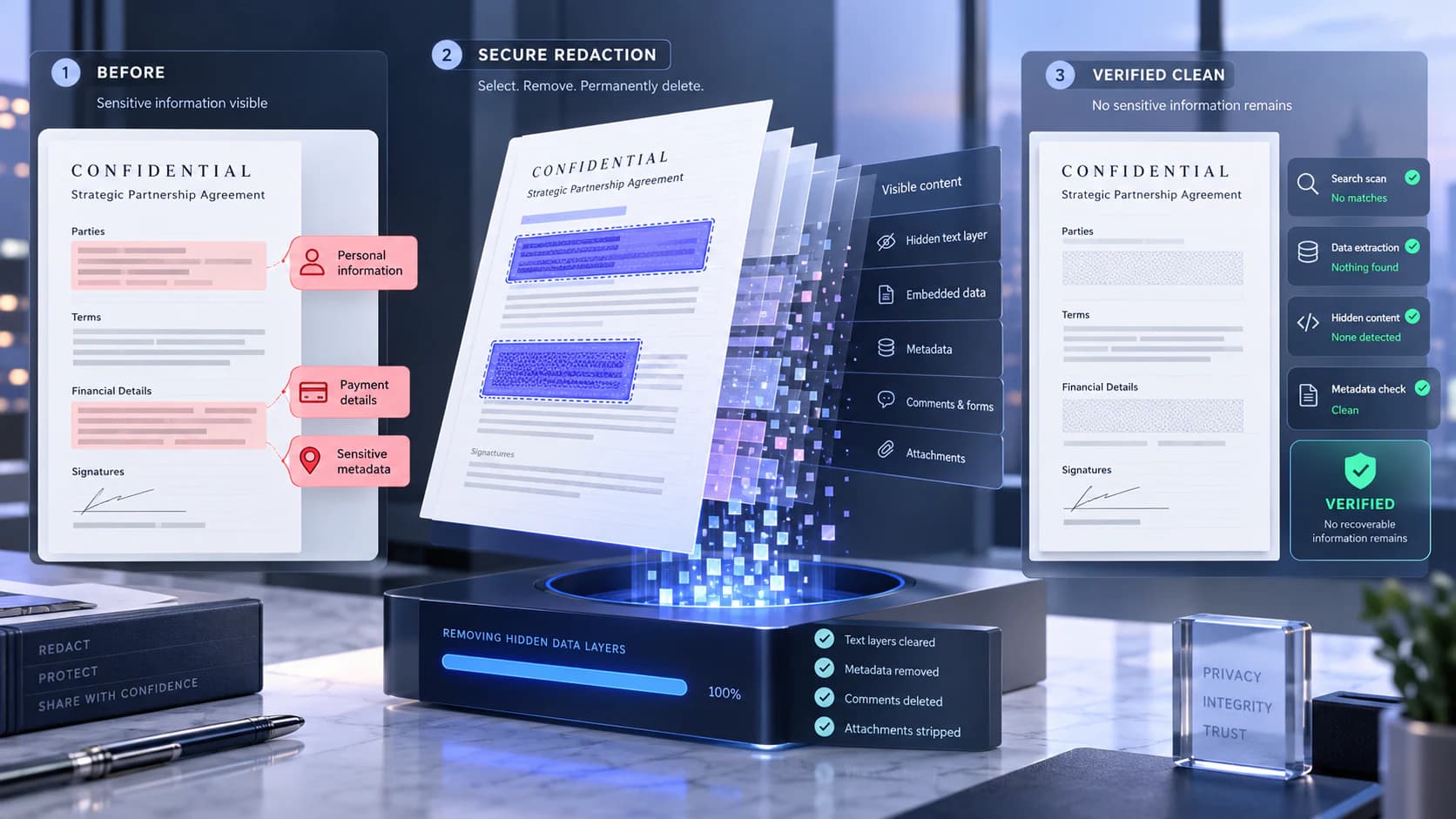
Redaction is different from covering text
Original pages
Text, vectors and images
Copy pages
Keep source objects intact
Merged PDF
New order, same page detail
A shape, highlight or white rectangle may hide pixels in one viewer while leaving selectable text beneath it. Proper redaction applies removal to the content represented by the selected region.
Raster scans need image-aware redaction. Native text and vector PDFs need content removal. Mixed documents may require both, followed by OCR and search checks.
Use a reviewable redaction process
Work on a copy, search for every spelling and identifier, inspect images and annotations, and apply redactions only after reviewing the marked areas. Avoid broad automatic replacement without confirmation.
After export, reopen the PDF, try selecting or searching redacted terms, copy surrounding text, and inspect metadata or attachments relevant to the disclosure.
- Keep the original under appropriate access control.
- Review every page, including repeated headers and scanned exhibits.
- Remove comments or metadata separately when required.
- Do not rely on visual appearance alone.
Treat AI-assisted detection as a suggestion
AI Redact PDF can help identify possible sensitive entities, but it can miss context or mark harmless text. Every suggestion requires human confirmation.
For legal, medical or regulated disclosures, follow the organization’s review and approval process. A tool cannot determine the governing redaction standard for every document.
Put the workflow into practice
Arrange source documents, select the pages you need, and create one PDF locally in your browser. Review the result before choosing any optional next step.
Try Redact PDFFrequently asked questions
Clear answers before you merge
Is a black box secure redaction?
Not by itself. The underlying text or image data may remain accessible.
Can redaction remove metadata?
Not necessarily. Use a metadata or privacy-review workflow separately.
Can AI find every sensitive item?
No. AI suggestions can miss information and must be reviewed.
How do I validate a redacted PDF?
Reopen it, search and copy text, inspect images, annotations, metadata and attachments, and use an appropriate independent checker when required.