On this page
What the measured ink score means
The ink score is the percentage of sampled pixels dark enough to count as visible content. A lower score means less measured content, not proof that the page is disposable.
Thresholds classify pages at or below a chosen score as likely blank. They do not understand legal meaning, handwriting or page sequence.
Choose a sensitivity preset
Strict sensitivity suggests only extremely empty pages. Balanced sensitivity is a practical starting point for ordinary digital PDFs and clean scans. Aggressive sensitivity accepts more visible marks as noise and therefore needs closer review.
Use a custom threshold when a consistent batch has known capture characteristics. Inspect examples on both sides of the threshold before applying it to a long document.
Handle scanner borders and isolated specks
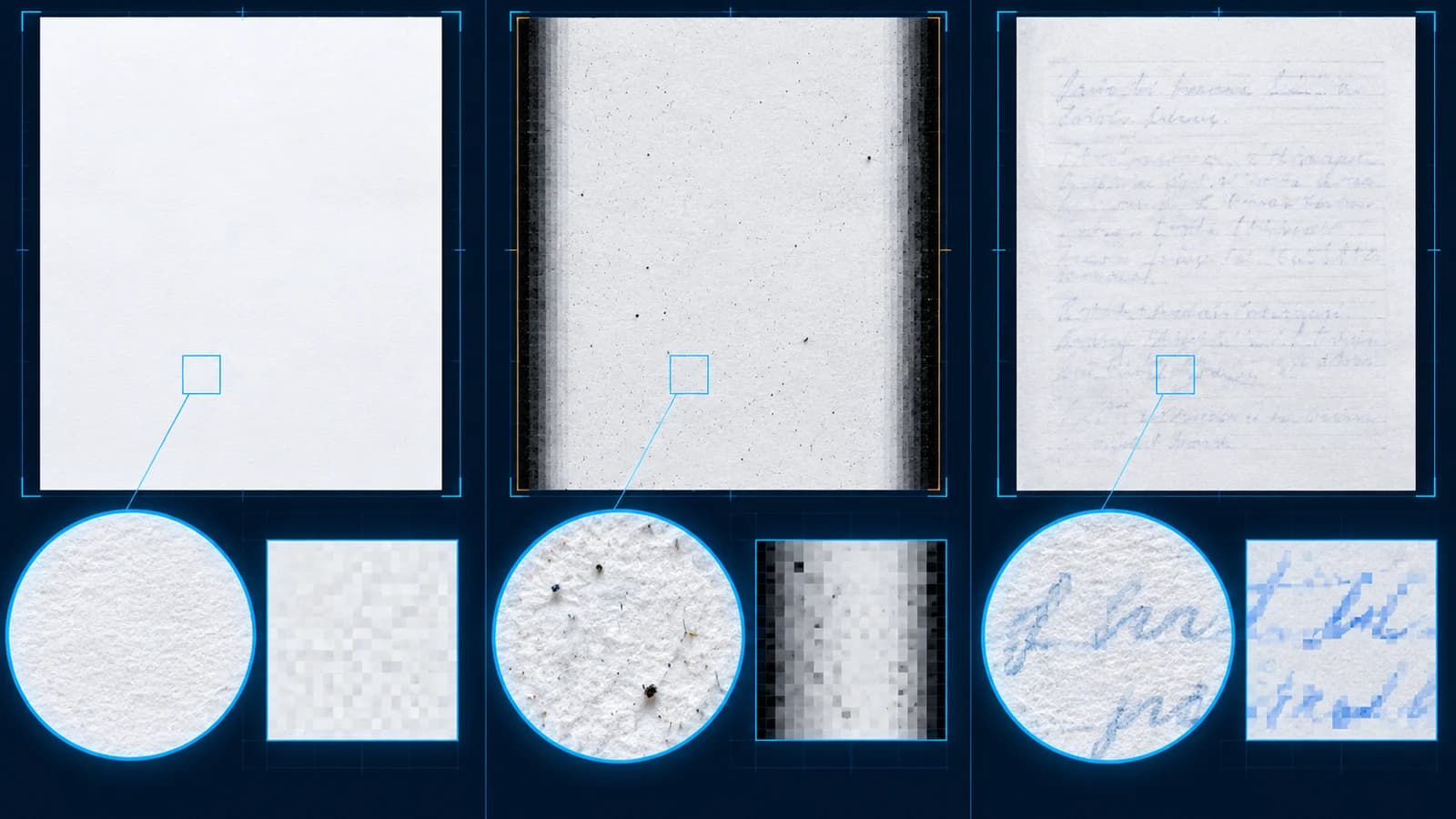
Dark page edges can dominate an otherwise empty scan. Border exclusion removes a controlled percentage around the page from measurement. Isolated-speck suppression ignores single dark pixels but retains connected marks.
These settings are analysis controls. Re-run analysis after changing them so classifications and displayed scores use the same configuration.
Protect faint but meaningful content
Light pencil notes, watermark text, pale form rules and low-contrast signatures can produce a small ink score. Review the enlarged page, not just the thumbnail.
When uncertain, keep the page. A false positive deletes information; a false negative only leaves an extra page that can be reviewed later.
Put the workflow into practice
Analyze the full PDF, compare every suggested blank page with its measured ink evidence, confirm the removal set, then create and verify a separate cleaned copy.
Try Remove Blank PagesFrequently asked questions
Clear answers before you remove blank pages
Which sensitivity should I use first?
Balanced is a useful starting point. Use Strict for faint documents and Aggressive only with careful review.
What does white level control?
It sets how light a pixel may be before it is treated as visible content.
Why ignore scanner borders?
Scanners can create dark edge bands that are not document content but otherwise raise the measured ink score.
Can isolated-speck cleanup hide handwriting?
It ignores only isolated pixels, but all suggested pages still require visual review.