On this page
Choose a slide canvas for the audience
Original pages
Text, vectors and images
Copy pages
Keep source objects intact
Merged PDF
New order, same page detail
A single ODP normally uses one page layout for the complete deck. Source ratio therefore follows the first selected PDF page and should be reviewed when the source mixes page sizes.
| Canvas | Shape | Best use |
|---|---|---|
| Widescreen | 16:9 | Modern projectors and displays |
| Standard | 4:3 | Legacy projectors and compact content |
| Source ratio | First selected PDF page | Page-faithful archival decks |
| A4 landscape | A-series landscape | Print-oriented review |
Understand contain, cover and stretch
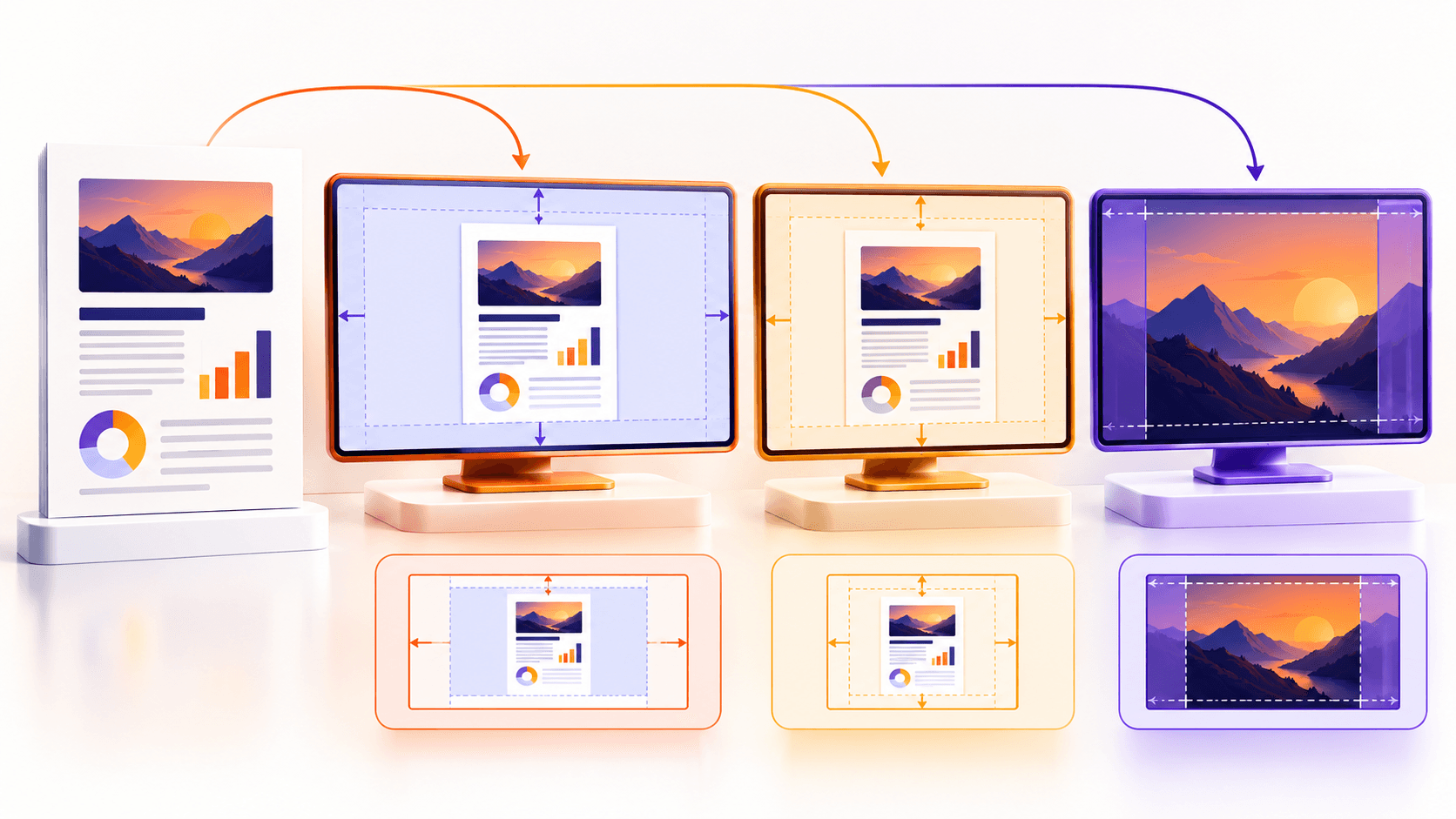
Contain keeps the entire page visible and may leave background margins. Cover fills the canvas by cropping equal areas from opposite edges. Stretch fills the canvas without cropping but changes proportions.
Contain is the safest default for reports, forms and evidence. Cover suits photographic pages when edge loss is acceptable. Stretch should be used only when distortion is intentional.
Preview representative pages before processing
Review a dense page, a page with edge content, and any page with a different orientation. The live preview shows the chosen canvas and fit behavior before upload.
Background color matters only where contain leaves margins. Use white for paper-like reports or a deliberate brand-neutral tone for display decks.
Put the workflow into practice
Arrange source documents, select the pages you need, and create one PDF locally in your browser. Review the result before choosing any optional next step.
Try PDF to ODPFrequently asked questions
Clear answers before you merge
Which fit mode avoids cropping?
Contain keeps the complete source page visible.
Which mode fills the slide?
Cover fills without distortion but may crop edges; stretch fills without cropping but can distort.
What does source ratio use?
It uses the dimensions of the first selected PDF page for the deck layout.
Can one deck mix slide sizes?
This converter uses one consistent slide layout per ODP package.